


Updated Date: 07/07/2026
Adding and editing a server
To connect to a server that is not on the list, add a new server using the Manage VPN Servers option.
-
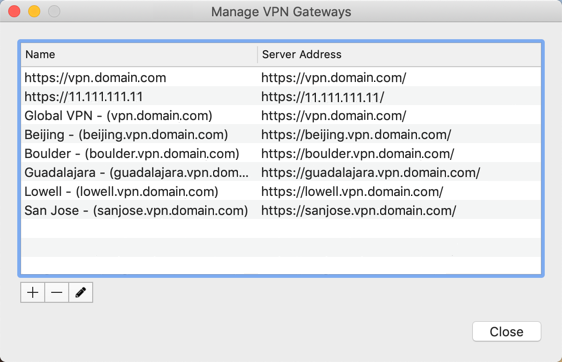
From the status menu, click the Edge Client icon and then click Manage VPN Servers. The Manage VPN Gateways screen opens.
-
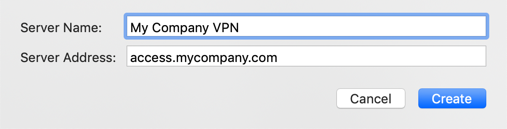
Click +. A popup screen opens where you define the server.
-
For Server Name, type a name for the VPN server.
-
For Server Address, type the IP address or hostname of the server. For example, https://110.11.111.11 or https://vpn.domain.com..
-
Click Create. The server is added to the list.
-
Click Close.
To connect to the new server, from the status menu, click the Edge Client icon and then select the server. You can edit the server configuration later if needed by clicking Edit or double-clicking the name, then making the changes, and clicking Modify.